Overview
The Icon Collection serves as a pool of optimized and formatted SVGs that can be utilized by Icon Sets. Uploaded Icons are stored in the Vercel Blob, and can be redownloaded if you want.
Formatting & Optimization
In order to have a working Icon Library, our Icons need to be uniform and optimized for performance. Otherwise Icons could cause layout shifts or provide inconsistent support for different functionality. That is why, upon upload the SVG is modified by SVGO and svg-path-bbox.
SVGO optimizes the SVGs and apply width, height, stroke and fill values. This typically results in a 30-60% reduction in SVG byte count. Svg-path-bbox places all SVGs within the center of a square viewbox, and ensures it does not overlap the viewbox.
With these two operations, we can ensure that any SVG uploaded, will work identically to any Icon in our front end.
Usage
Pipeline:
Icon Collection
Icon Set Collection
Icon Block
Front End
Once you have usable icons you can reference them from within the Icon Set Collection. The Icon Set collection can only have one set active at any given time. This is because we can then reference an icon, from the active Icon Set, in our Icon Child Block. The Icon Child Block is what actually renders the Icon in the front end.
The reference though between an Icon Block and an Icon Set, is purely through the name set for an Icon in the Icon Set, and not to the Icon document you uploaded.
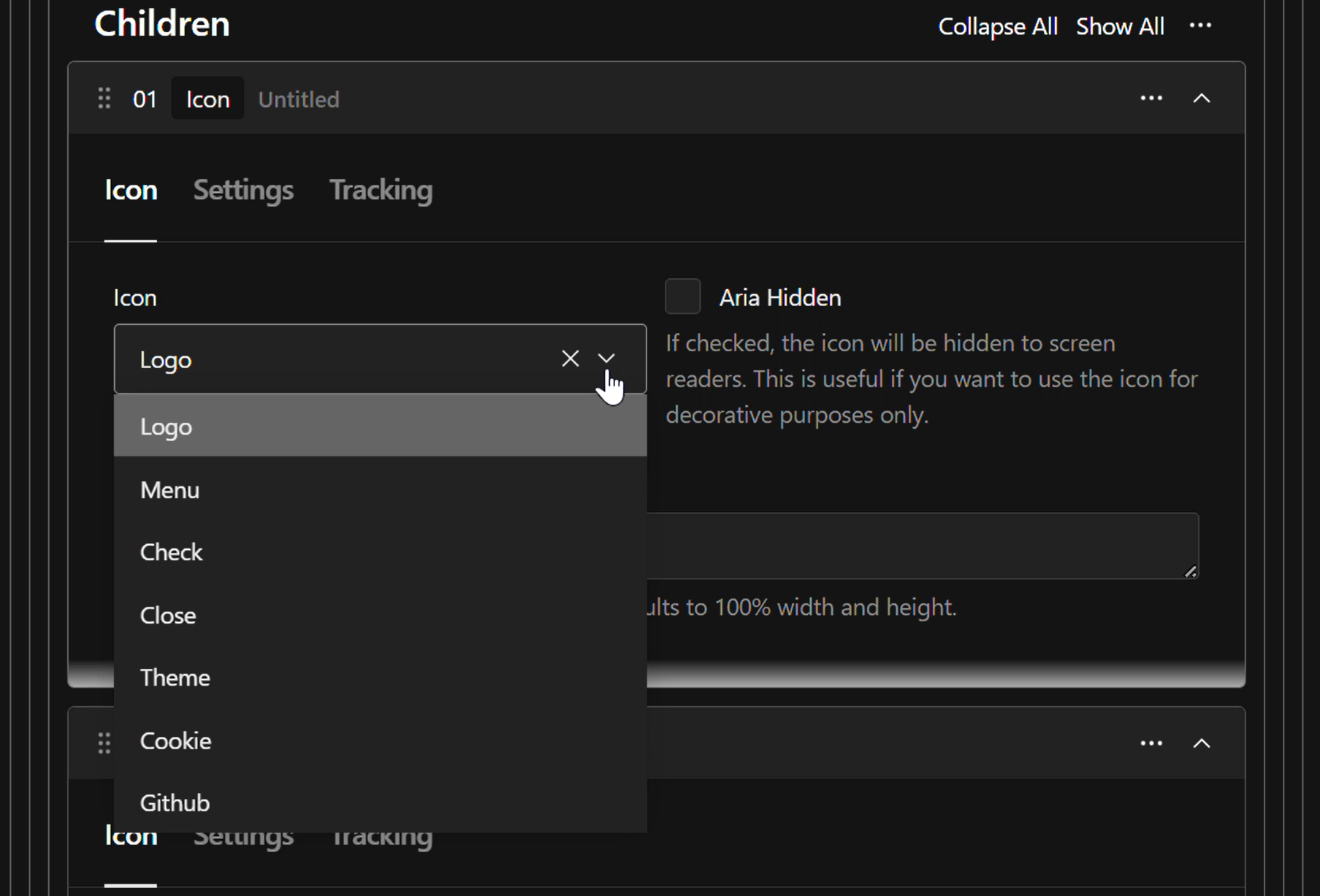
This way when updating or switching Icon Sets, we don't break anything due to improperly setup references. The Icon block will upon opening, query to see what naming options are available.
The icons and image below showcase what the Icon Select dropdown looks like for this documentation sites icons at the time of writing this.
Note that the last icon does not exist in the list. This is the warning icon which is used if no icon is found by the front end.
Notes
If the icon is used in the front end, it is cached for reuse. If you update the Icon document, only that Icon will have its cache busted. Though updating an active Icon Set will bust all cached Icons.
Missing icons currently fail quietly and only show the warning icon.
The front end application does not download the SVG file, instead a cached query grabs the string and a cache-able react component applies styles to the SVG.